

Turn Your WordPress Site Into a Revenue Stream.
Charge users to publish jobs, listings, events, and more. Create flexible plans, accept payments, and manage everything from WordPress.
Works with
WordPress
Stripe & PayPal
payments
No coding
required

Simple setup. Powerful results.
How PostFee works
Start monetizing your WordPress content in three simple steps.
Create publishing plans
Set your price, number of posts, listing duration, and featured time.
Let users submit posts
Build a front-end submission form with blocks, and customize the fields and design.
Manage orders & payments
Track purchases, users, plans, and post status in one organized place.
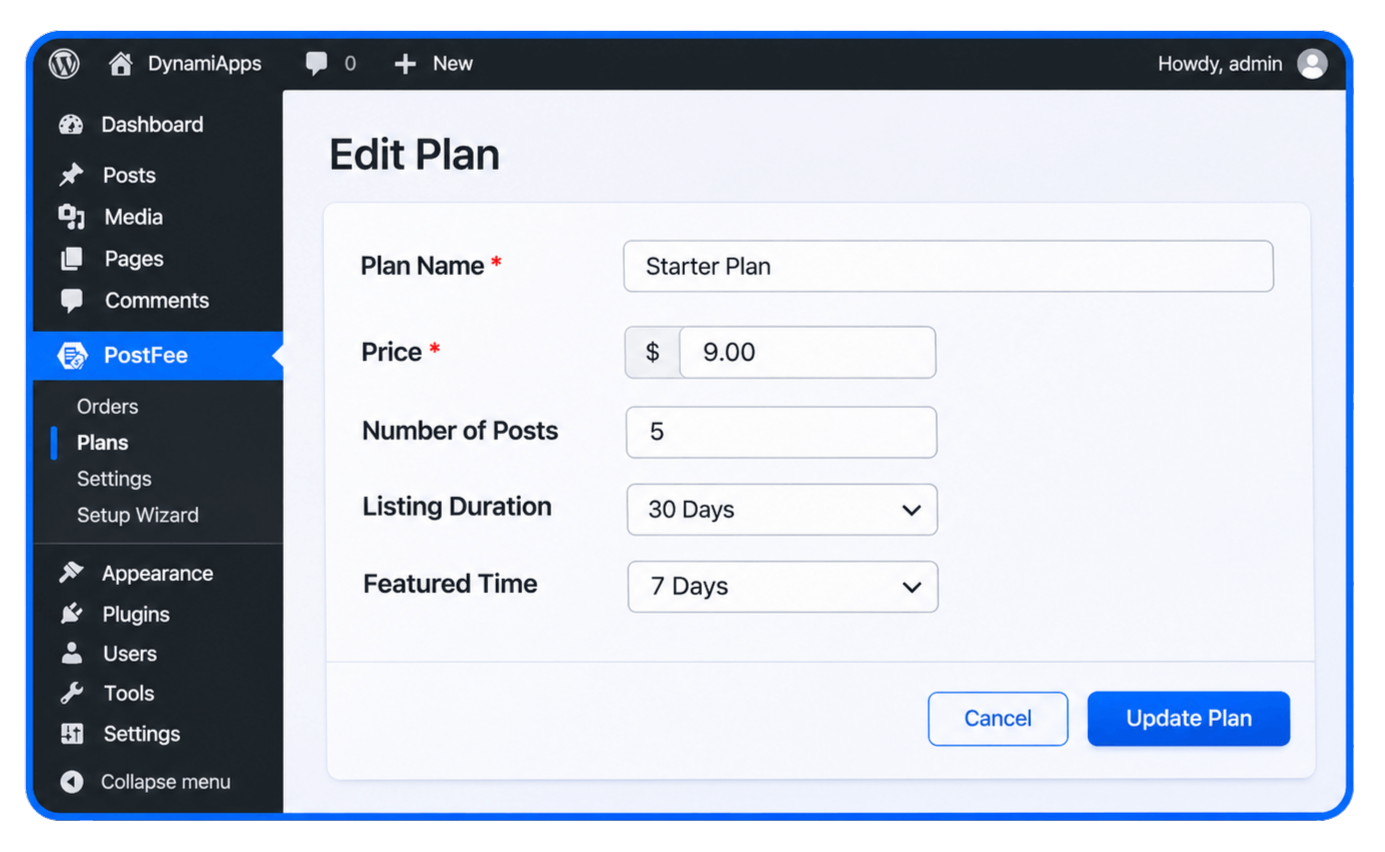
Flexible publishing plans
Create unlimited plans with your own pricing, number of posts, listing duration, and featured time.
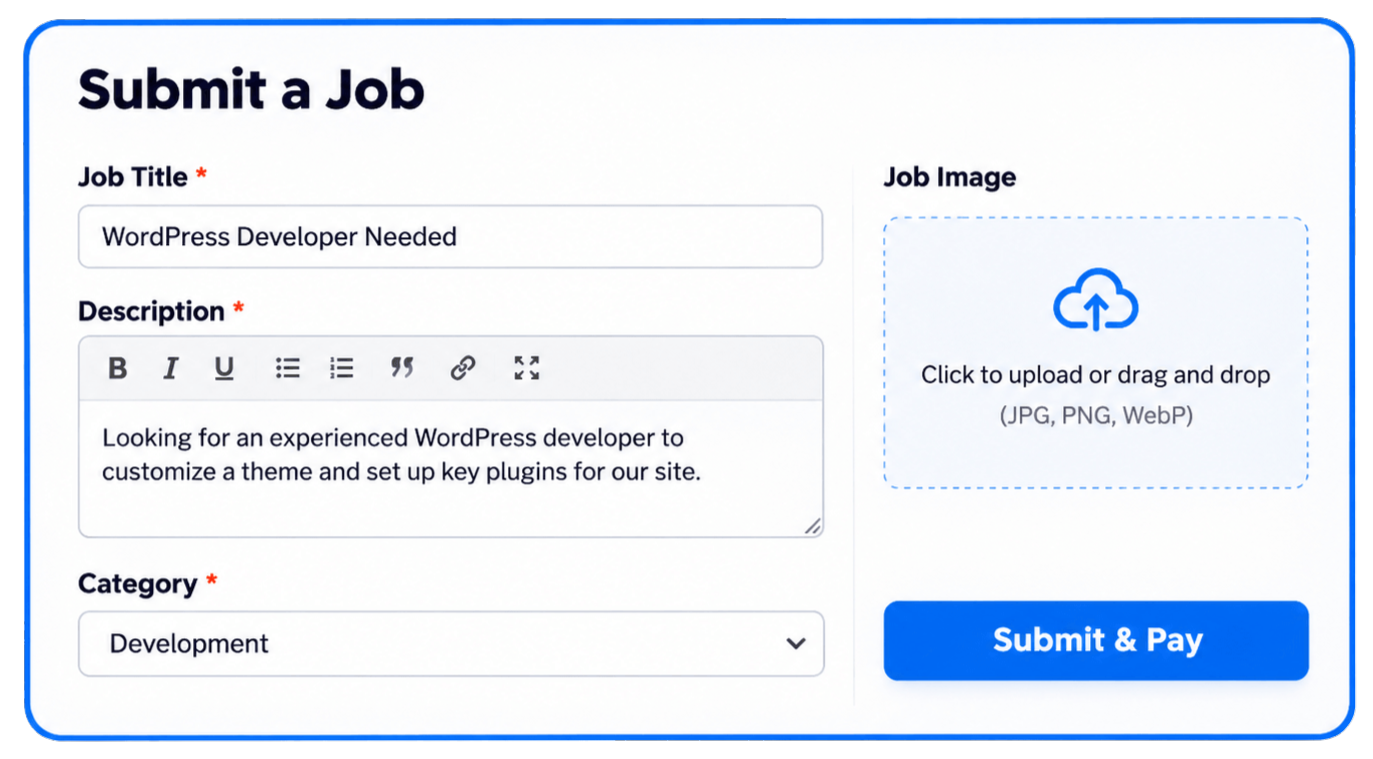
Beautiful frontend forms
Design your submission form with WordPress blocks. Add the fields you need, style it your way, and let users publish from the frontend.
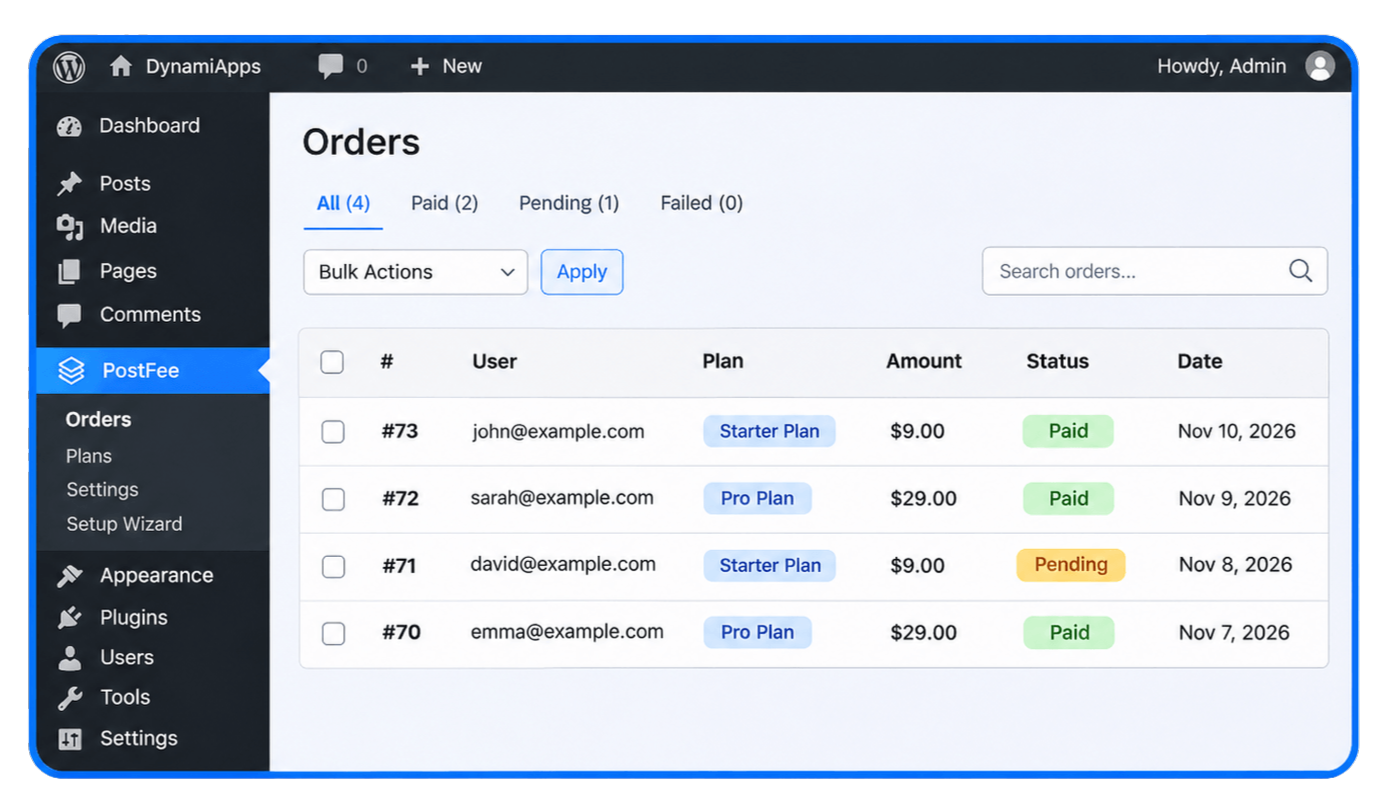
All your orders in one place
View and manage every payment, plan, and submission from your WordPress dashboard.
Four ways to earn
Flexible ways to turn content into revenue
Mix and match pricing models to fit your audience, from one-off listings to recurring memberships.
Pay per post
Charge a fee for every submission. Simple, transparent, and perfect for job boards and classifieds.
Post packages
Sell bundles of posts up front as credits, with an optional expiry date.
Subscriptions
Charge a monthly or yearly rate for a set number of posts, or for unlimited posting.
Paid upgrades
Let users pay to feature a post or extend how long it stays listed.
Payments built in
Get paid your way
Take payments through Stripe Checkout, PayPal, or the WooCommerce checkout. Stripe and PayPal work on their own, with no other plugin required. Renewals, cancellations and refunds are handled automatically through webhooks.
Stripe Checkout
PayPal
WooCommerce checkout (Pro)
Pricing
Start free. Go Pro when you're ready.
Every Pro license includes all features, all updates, and developer support.
Free
PostFee Free
$0 forever- No coding required
- Pay per post
- Post packages with credits and optional expiry
- Listing duration and auto-expiry
- Credits returned when a post is rejected or deleted
- Stripe and PayPal one-time payments
- Form and dashboard plan blocks
- Standard "Post" post type
- Developer actions and filters
Pro
PostFee Pro
Choose 1, 3 or 100 sites, billed annually or once for a lifetime license. See exact prices at checkout.
- Everything in Free, plus:
- Subscriptions
- Suspend and resume posts on failed or restored renewals
- Paid upgrades: featured and extended listings
- WooCommerce checkout gateway
- Custom post types per plan, such as jobs, listings and events
- All updates and developer support
30-day money-back guarantee. All payments in US dollars. Refund policy
FAQ
Questions about PostFee
Do I need WooCommerce to use PostFee?
No. Stripe Checkout and PayPal work on their own with no other plugin. If you already run WooCommerce, PostFee Pro can use the WooCommerce checkout as a payment gateway.
What can I charge users to post?
The free version works with the standard WordPress "Post" type. PostFee Pro lets you assign custom post types to each plan, so you can charge for jobs, listings, events, and more.
What happens if I reject a paid post?
When a post is rejected or deleted, the user's credit is returned automatically, so they can submit again without paying twice.
How are renewals, cancellations and refunds handled?
Automatically, through payment webhooks. With PostFee Pro, posts are suspended when a subscription renewal fails and resumed when it's restored.
How many sites can I use PostFee Pro on?
Pro licenses come in 1-site, 3-site and 100-site options, each with matching staging sites. You can choose annual billing or a one-time lifetime license at checkout.
Is there a money-back guarantee?
Yes. PostFee Pro comes with a 30-day money-back guarantee. See our refund policy for details.
Your content. Your rules. Your revenue.
Turn your WordPress website into a platform that pays for itself.